If you haven't yet joined Colladium
In order to use Colladium SMSF you'll first need to set up an account in Colladium:
- Go to www.colladium.com and click Join For Free in the top-right.
- Fill out the details on the following page:
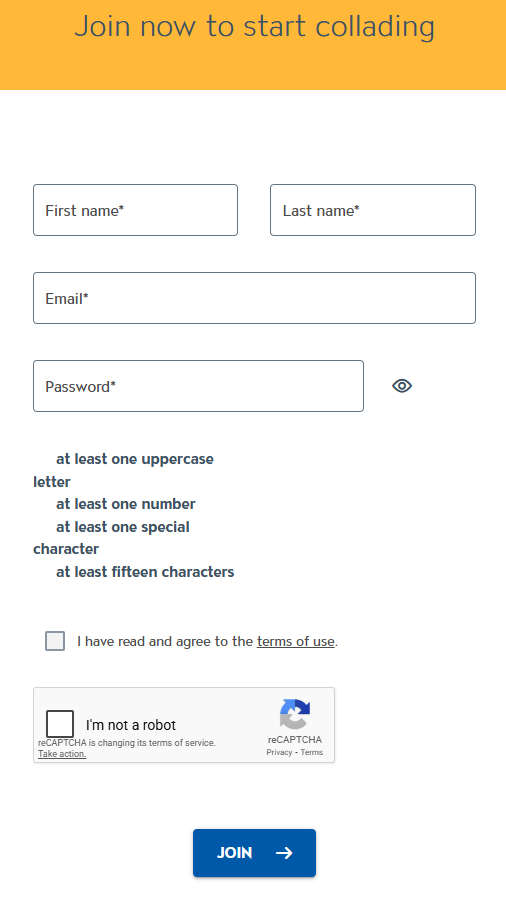
- You'll then be able to log in and you'll be asked to either join an existing organisation or create a new one:
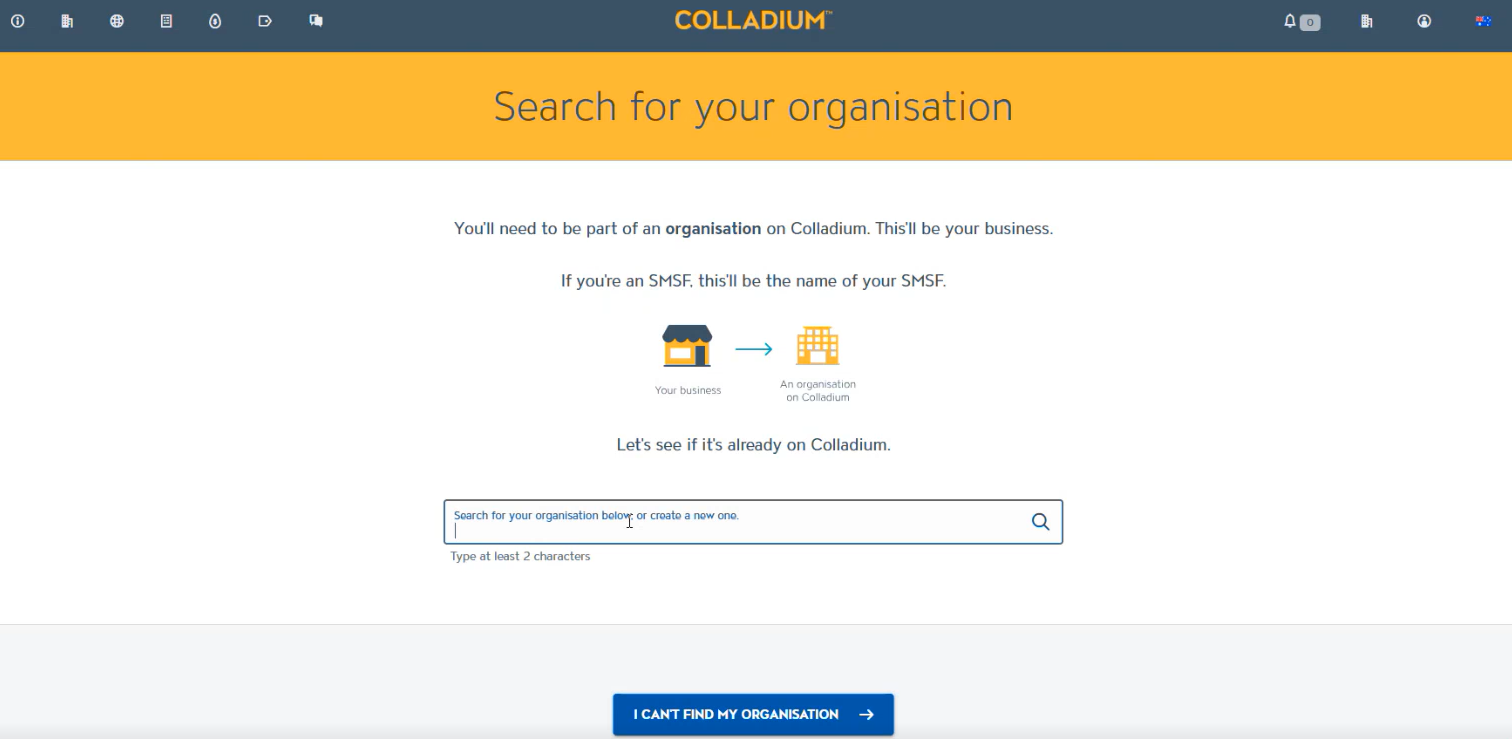
- Enter the organisation name, country, ABN and GLN.
- For trustees, the organisation name should be the name of your fund.
- For accountants, the org name should be the name of your accounting firm.
- On the next page click the SMSF option on the right:
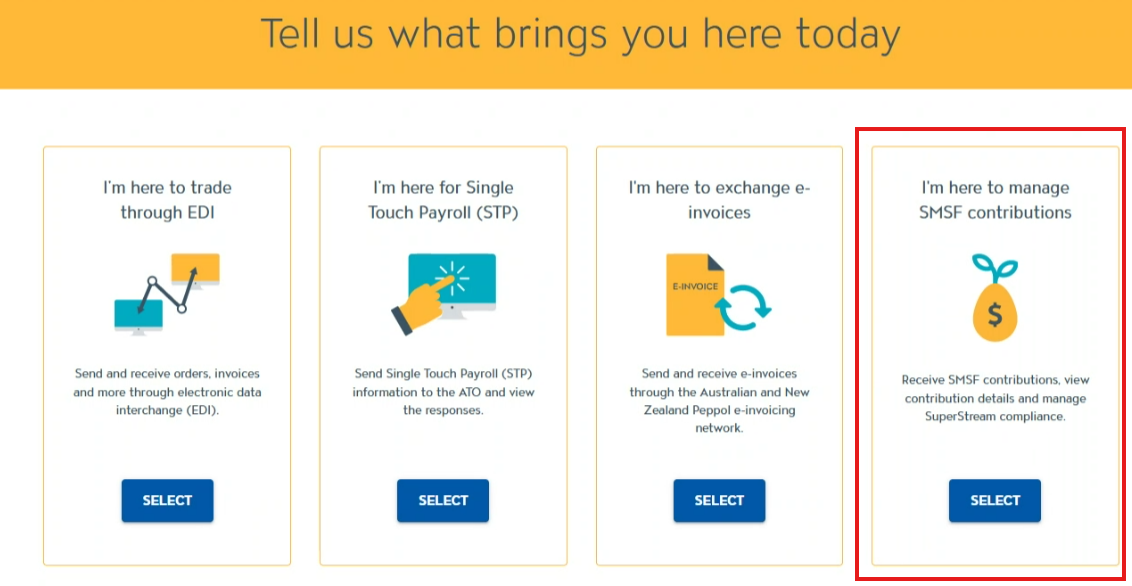
If you already use Colladium for EDI and also want to use it for SMSF, we advise to create a separate organisation; one for EDI and one for SMSF (so that everyone only has access to see what they've been given access to)
Now that you're in Colladium
- In the top-left of the page, click the SMSF Gateway tab to view the portal:
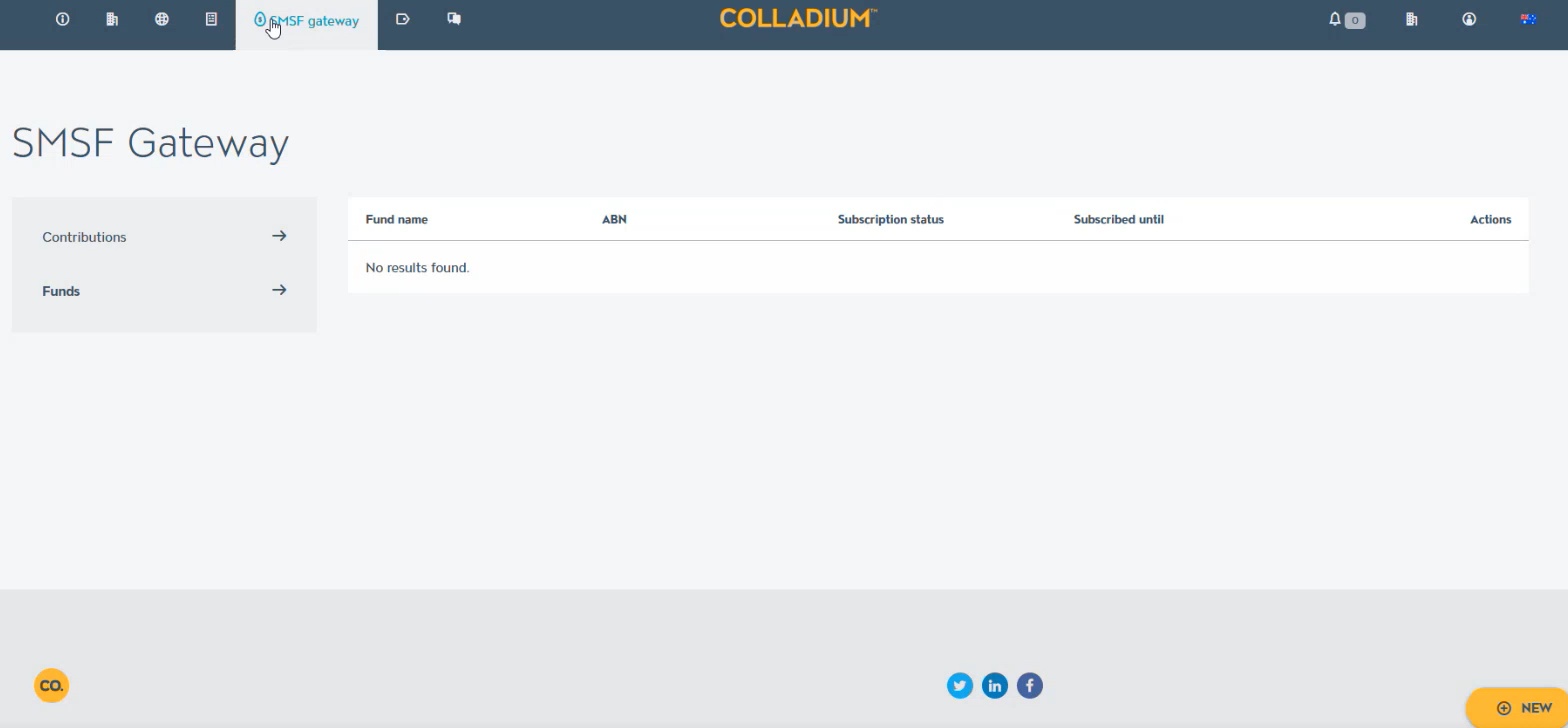
- Now add your SMSF. Click ‘new’ in the bottom-right. This will bring up a section for you to add your ABN.
- Colladium will validate your fund's ABN and if it's correct, you'll be able to click 'save':
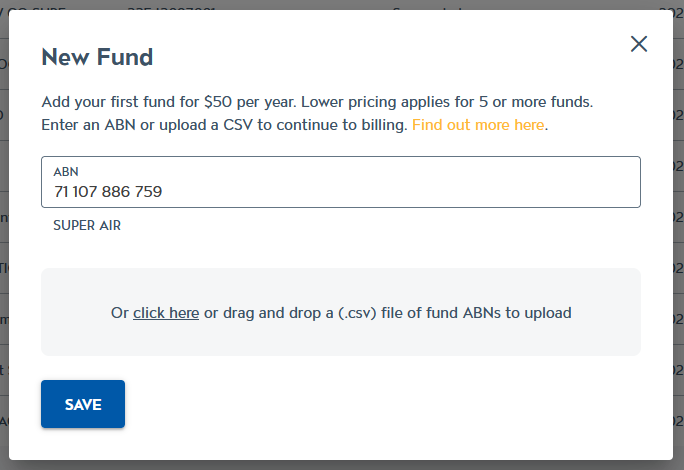
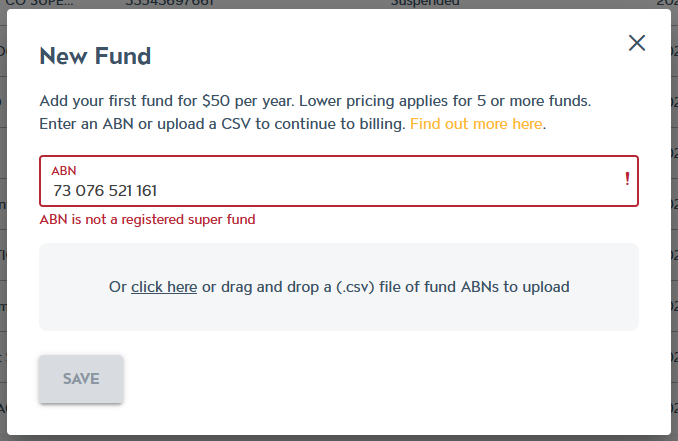
- You can also upload a CSV file of multiple SMSF ABNs to add them all at once:
- The first row of the CSV is ignored, so you can add a header, like 'ABN' to that row.
- Each ABN should be on its own row, from row 2 onwards.
- Colladium will then validate each ABN and if it's invalid, it will tell you why
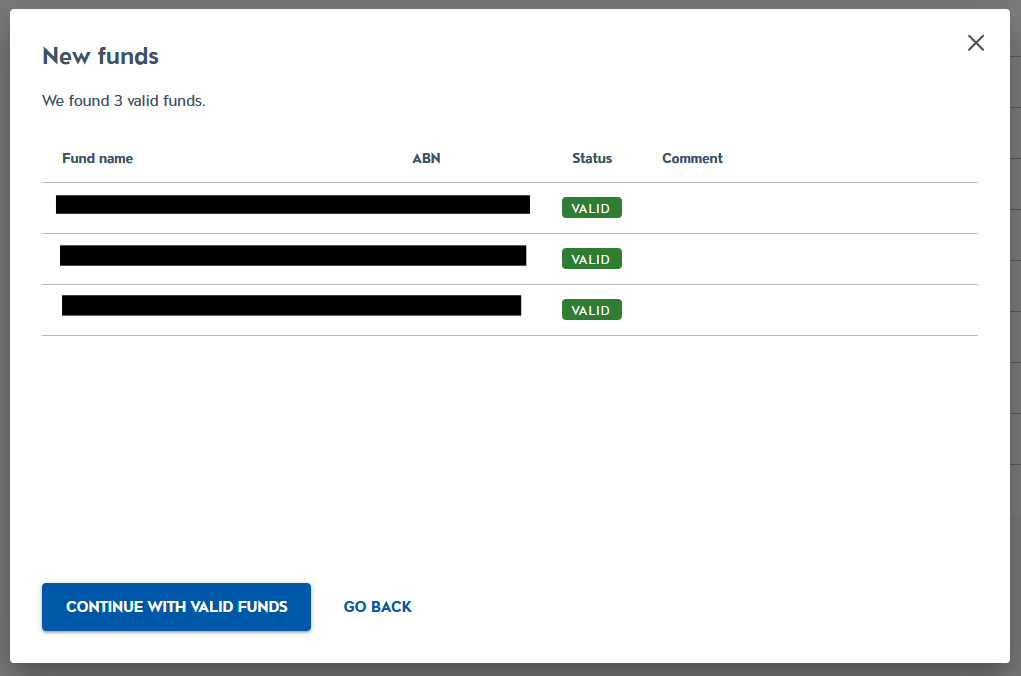
- You can then proceed to upload the valid funds.
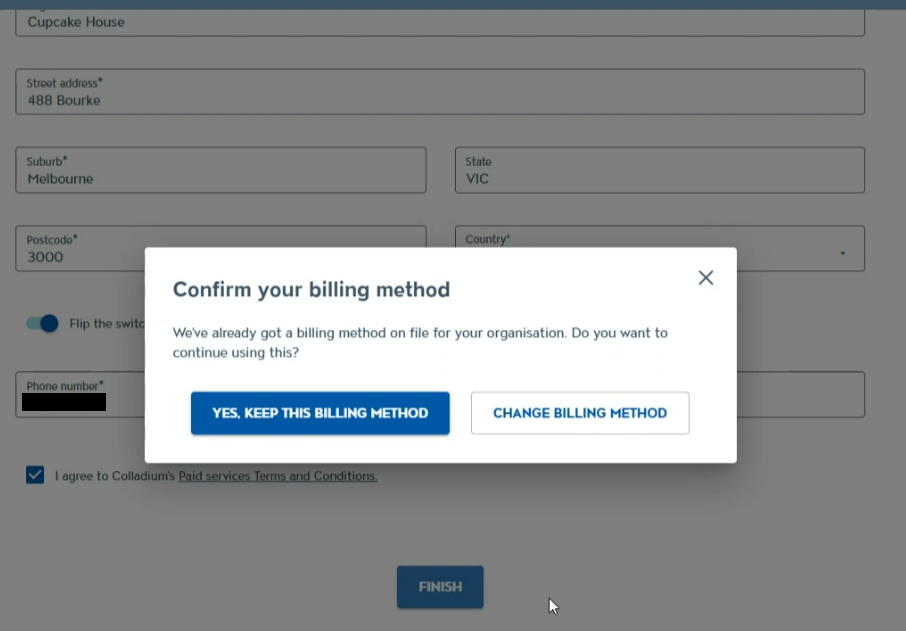
- You’ll then be taken to the billing page, where you can add further details, then click Finish.
- If you've already added a payment method it’ll show up here like the screenshot below, otherwise it’ll take you to our Stripe payment gateway to fill out your credit card details:
- Then your registered SMSF will then populate in the SMSF Gateway page:
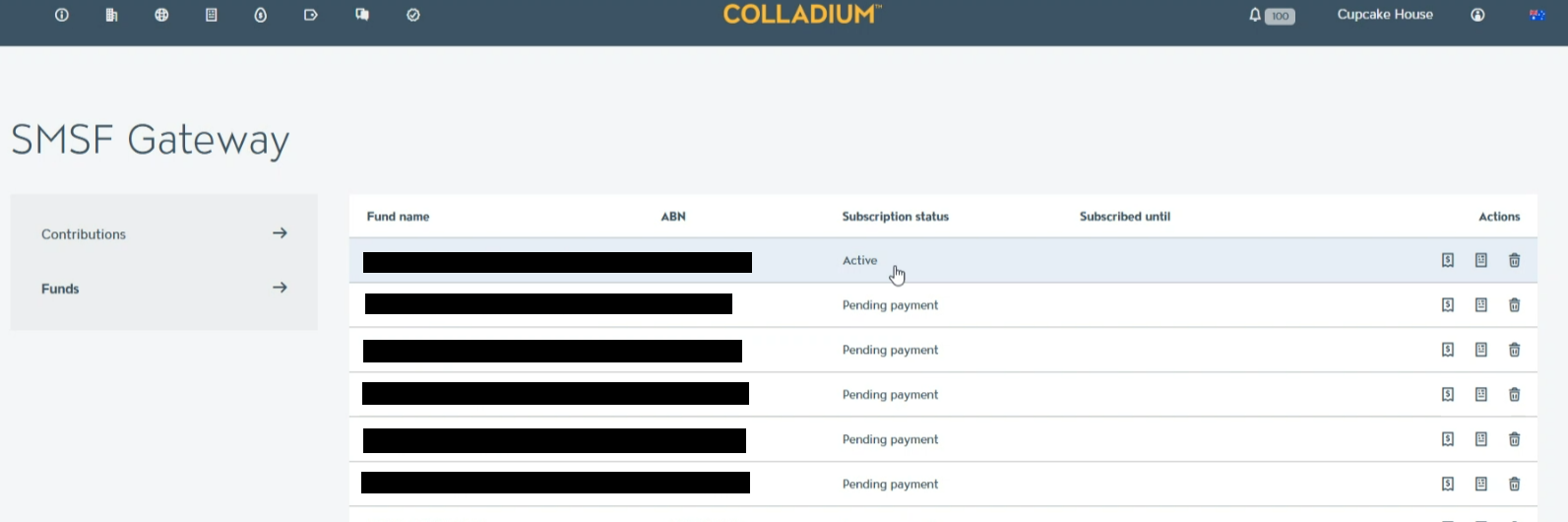
- Now that your ABN has been added, you're ready to start using your new SMSF straight away! You'll get an invoice and the payment will be taken in seven days, which will then be billed annually.
- Let your employer know about your new ESA
- Let ATO know about your SMSF changes
When a contribution is received, Colladium will send a notification email to each user in the Colladium organisation with the Super Administrator role to let them know.
Here's how you can Download the history of contributions