Hover over the profile icon on the top right of the screen and select the 'Settings' tab. From there you will have the option of 'Two-step authentication'.
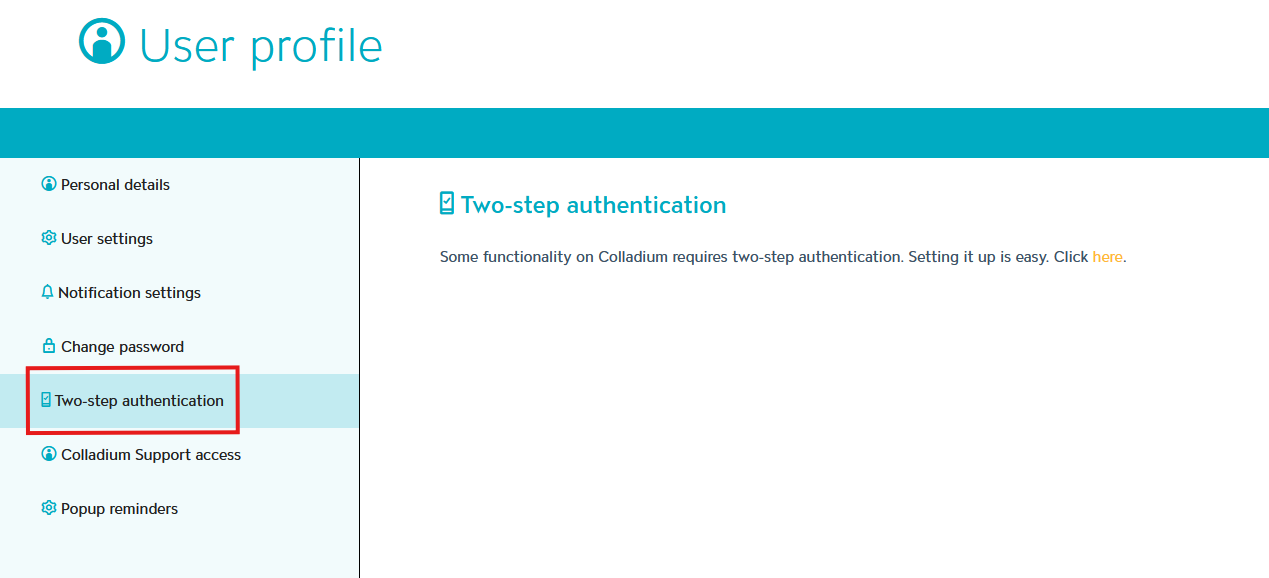
From there you be directed to a new screen with steps on setting up multi-factor authentication.
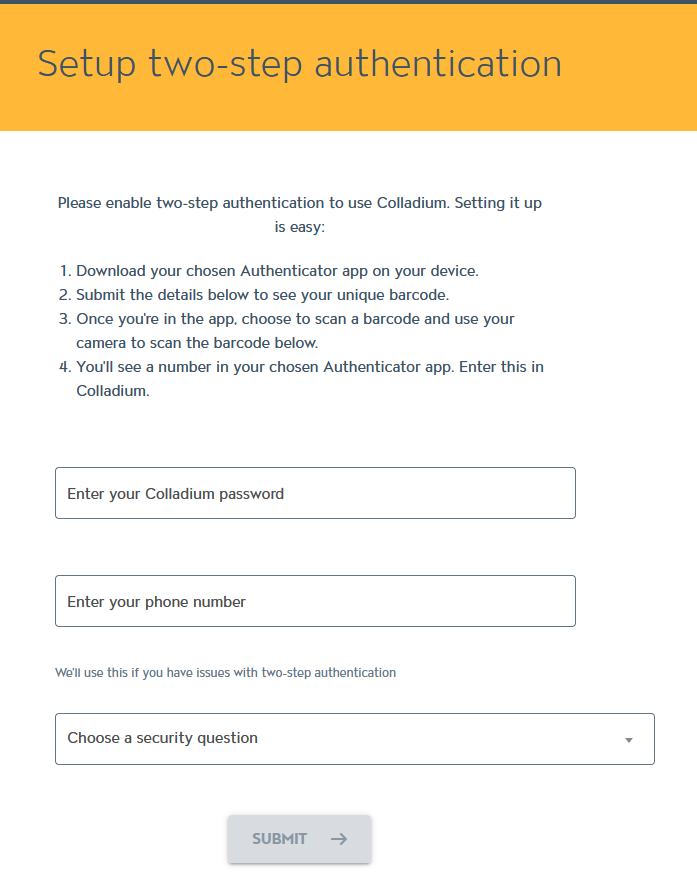
The steps are:
Download your chosen Authenticator app on your device.
On the Colladium webpage, submit the details in the form to see your unique barcode.
Open the Authenticator app on your device, choose to scan a barcode and scan the barcode that has been generated in step 2.
You'll see a number in your chosen Authenticator app. Enter this in Colladium.
If you have multiple people logging in to your account, it’s best to create a separate user for each person. This makes it easier to set up multi factor authentication (MFA) in Colladium without needing to share codes. The good news is it’s quick and free to set up. Here’s a step by step guide to adding users to your organisation: https://support.colladium.com/support/solutions/articles/7000039019-inviting-colleagues